LAMMPSでrerunをする
LAMMPSを使う中で,計算したい物理量をfix computeもしくはthermoで指定し忘れることがあります.
普通にプログラム書いてポスト処理すればいいだけの話なんですが,できれば組み込みのコマンドで済ませたいときもあるでしょう.
そこで,rerunコマンドが用意されています.
LAMMPSのrerunコマンドとは#
dumpファイルから座標等を読み取り,疑似的なシミュレーションをする機能.力場の変更による影響,取得したい物理量の追加,ポテンシャル (LJ, coulomb…) ごとの寄与度の確認等を行うことが可能.要はdumpファイルさえあれば後から色々計算できますよというもの.(https://docs.lammps.org/rerun.html)
rerunコマンドの注意点#
では使ってみよう🤡❗となる前に注意しておくべきなのが,相互作用の計算が必要かどうかで行う作業が違うことです.
例えば座標のみで完結する平均二乗変位 (Mean Square Displacement : MSD) や動径分布関数 (Radial Distribution Function : RDF) は,相互作用の計算は必要ありません.
もしrerunで座標のみに依存した量を解析したいなら,相互作用の計算をしないようにスクリプトを変更しましょう.無駄な計算コストと時間を浪費しないためです.
この記事の概要#
rerunの使い方を簡単に説明rerunで高速な計算をするためのTips
事前準備#
必要ない方もいるかもしれませんが,準備段階から書いておきます. 実行環境はWSL2上のUbuntu 24.04.3 LTSで,LAMMPS (2Aug2023 Update1) を使用しています.
大体こういうtutorialのモデルは水でしょう (知らんけど).なので今回は水分子で初期構造を作製します.簡単なTIP3Pモデルを使用. 下記のスクリプト (in.make_water) は公式から引用して少し改変.(https://docs.lammps.org/Howto_tip3p.html)
in.make_water
units real
atom_style full
region box block -5 5 -5 5 -5 5
create_box 2 box bond/types 1 angle/types 1 &
            extra/bond/per/atom 2 extra/angle/per/atom 1 extra/special/per/atom 2

mass 1 15.9994
mass 2 1.008

pair_style lj/cut/coul/cut 8.0
pair_coeff 1 1 0.1521 3.1507
pair_coeff 2 2 0.0    1.0

bond_style zero
bond_coeff 1 0.9574

angle_style zero
angle_coeff 1 104.52

molecule water tip3p.mol
create_atoms 0 random 33 34564 NULL mol water 25367 overlap 1.33

fix rigid all shake 0.001 10 10000 b 1 a 1
minimize 0.0 0.0 1000 10000

reset_timestep 0
timestep 1.0
velocity all create 300.0 5463576
fix integrate all nvt temp 300 300 100.0

thermo_style custom step temp press etotal pe

thermo 1000
run 20000

# 本計算 (dumpファイルの生成)
reset_timestep 0
dump 1 all custom 10 output.dump id type x y z vx vy vz
dump_modify 1 sort id
run 100000
この入力ファイルは1分子の座標ファイルであるtip3p.molが必要なので,以下も同じ階層に置いておきます.
tip3p.mol
# Water molecule. TIP3P geometry

3 atoms
2 bonds
1 angles

Coords

1    0.00000  -0.06556   0.00000
2    0.75695   0.52032   0.00000
3   -0.75695   0.52032   0.00000

Types

1        1   # O
2        2   # H
3        2   # H

Charges

1       -0.834
2        0.417
3        0.417

Bonds

1   1      1      2
2   1      1      3

Angles

1   1      2      1      3

Shake Flags

1 1
2 1
3 1

Shake Atoms

1 1 2 3
2 1 2 3
3 1 2 3

Shake Bond Types

1 1 1 1
2 1 1 1
3 1 1 1

Special Bond Counts

1 2 0 0
2 1 1 0
3 1 1 0

Special Bonds

1 2 3
2 1 3
3 1 2上記2つのファイルがあるディレクトリでLAMMPSを実行し,equilibrated_water.data と output.dump が出力されていれば準備完了.
$ lmp < in.make_water
$ ls
equilibrated_water.data  in.make_water  log.lammps  output.dump  tip3p.mol
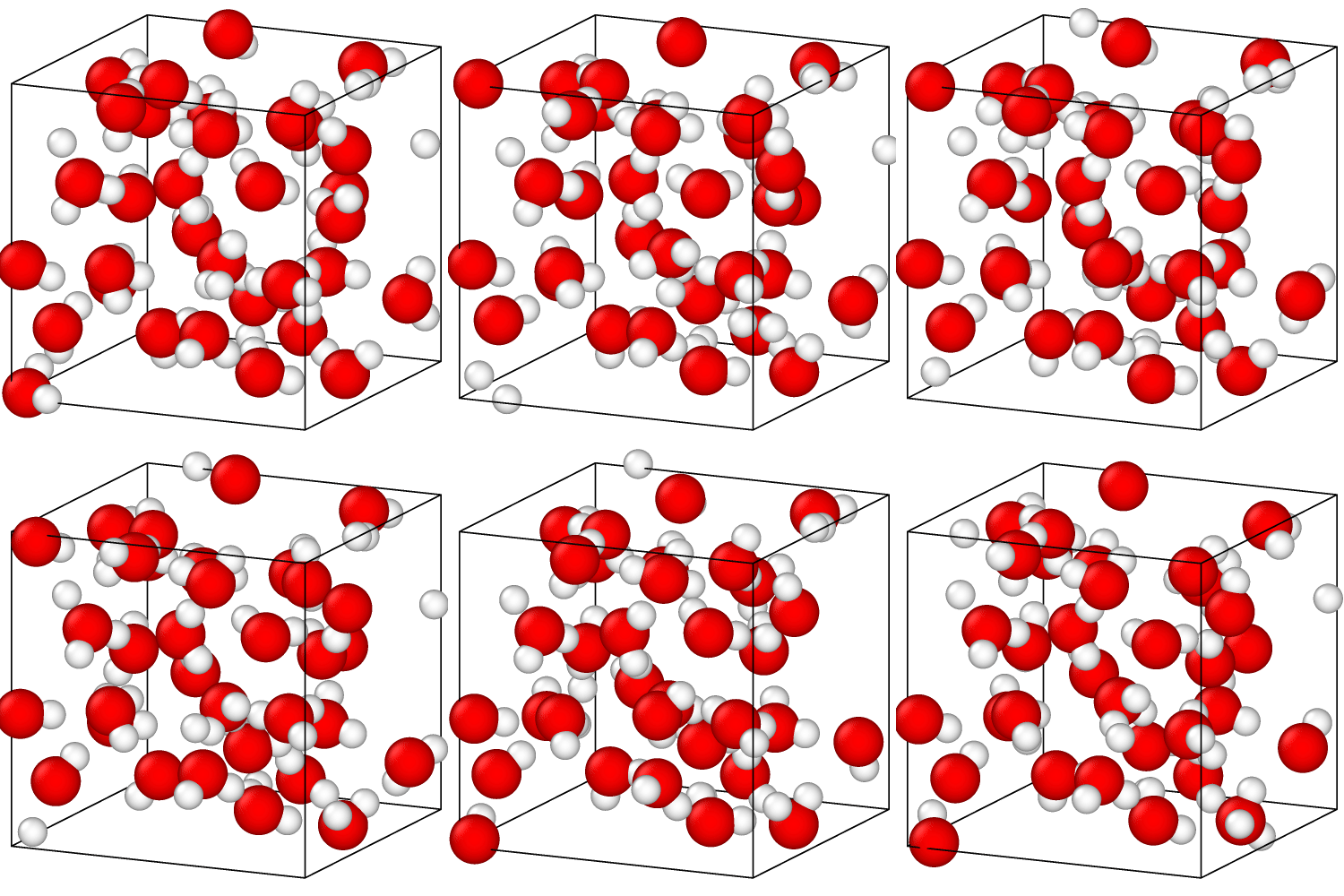
以後の計算はin.make_waterでの本計算部分におけるdumpファイルを用いて再計算していきます.
相互作用の計算が必要な場合#
系のvan der Waalsエネルギーの和とcoulombエネルギーの和をそれぞれ新たに知りたいとします.これはポテンシャルを与えないと分からない情報ですので,相互作用の計算が必要なものに分類されます.
前セクションの equilibrated_water.data と output.dump を用いると,rerunを用いたスクリプトは以下のようになります.
in.rerun_pair_yes
units real
atom_style full

pair_style lj/cut/coul/cut 8.0
bond_style zero
angle_style zero

read_data equilibrated_water.data

timestep 1.0

thermo 1000

# vdwエネルギーとcoulombエネルギーを追加で出力 (evdwl, ecoul)
thermo_style custom step temp press etotal pe evdwl ecoul

# rerunコマンド
rerun output.dump dump x y z vx vy vz
実行結果を見てみると,追加した E_vdwl(evdwl) と E_coul(ecoul) が出力されていますね.
   Step          Temp          Press          TotEng         PotEng         E_vdwl         E_coul
         0   215.21157      29334.543      51.136614     -11.730857      46.058994     -57.789851
        10   246.55777      28553.143      36.626198     -35.398105      43.550168     -78.948273
        20   231.415        24470.245     -136.82087     -204.42168      43.473446     -247.89512
        ...
     99980   183.54946      21726.223     -169.19329     -222.81165      38.401084     -261.21273
     99990   176.48199      24772.258     -88.742557     -140.29637      42.839078     -183.13544
    100000   191.88134      21240.089     -260.51145     -316.56371      43.789947     -360.35366
この結果は,前セクションで用いたin.make_waterで同様にevdwlとecoulを追加した場合でも同じ値が出力されます.むしろそうならないとアカン☠.
(温度と圧力がおかしいのはSHAKEを設定していないからで,求めたいエネルギーには影響しないため今回は無視)
という形で,rerunでの再計算自体は何も難しくないです.
相互作用の計算が必要無い場合#
相互作用の計算が必要ない物理量として,今回は密度を例にとってみます.
スクリプトは以下の通りで,相互作用の計算が必要ない場合はすべてのポテンシャルの形式をnoneに再設定するところがポイントです.これだけは覚えて帰ってください.
in.rerun_pair_no
units real
atom_style full

pair_style lj/cut/coul/cut 8.0
bond_style zero
angle_style zero

read_data equilibrated_water.data

# ここ重要
pair_style none
bond_style none
angle_style none

timestep 1.0

thermo 1000

# 1次元密度プロファイルの計算
compute c1 all chunk/atom bin/1d x lower 1.0
fix 1 all ave/chunk 10 10 100 c1 density/mass file density_profile_x.txt

thermo_style custom step temp press etotal pe evdwl ecoul

rerun output.dump dump x y z vx vy vz
ではこれを実行して,log.lammpsの一部を見てみます.
WARNING: No fixes with time integration, atoms won't move (src/verlet.cpp:60)
WARNING: Bonds are defined but no bond style is set (src/force.cpp:193)
WARNING: Likewise 1-2 special neighbor interactions != 1.0 (src/force.cpp:195)
WARNING: Angles are defined but no angle style is set (src/force.cpp:198)
WARNING: Likewise 1-3 special neighbor interactions != 1.0 (src/force.cpp:200)
WARNING: Communication cutoff is 0.0. No ghost atoms will be generated. Atoms may get lost. (src/comm_brick.cpp:210)
Per MPI rank memory allocation (min/avg/max) = 6.053 | 6.053 | 6.053 Mbytes
   Step          Temp          Press          TotEng         PotEng         E_vdwl         E_coul
         0   215.21157      2873.8152      62.86747       0              0              0
WARNING: Communication cutoff is 0.0. No ghost atoms will be generated. Atoms may get lost. (src/comm_brick.cpp:210)
        10   246.55777      3292.3949      72.024304      0              0              0
WARNING: Communication cutoff is 0.0. No ghost atoms will be generated. Atoms may get lost. (src/comm_brick.cpp:210)
WARNING: Inconsistent image flags (src/domain.cpp:815)
        20   231.415        3090.1868      67.600808      0              0              0
        ...
     99980   183.54946      2451.0171      53.618356      0              0              0
     99990   176.48199      2356.642       51.55381       0              0              0
    100000   191.88134      2562.2764      56.05226       0              0              0
たくさん警告が出てますが安心してください.正常ですよ.
分子動力学で相互作用の計算をしないというのは確かに異常ですが (すまん理想気体),でもrerunならOKです.
あとthermoで出てくる出力は,この場合何の妥当性もないのでスルーしてください.
では密度プロファイルは計算できているかというと
# Chunk-averaged data for fix 1 and group all
# Timestep Number-of-chunks Total-count
# Chunk Coord1 Ncount density/mass
100 10 98.99999999999999
  1 -4.5 14.8 1.69157
  2 -3.5 6.6 0.658136
  3 -2.5 7.6 0.500618
  4 -1.5 11.8 1.64135
  5 -0.5 6 0.274686
  6 0.5 10.5 1.42044
  7 1.5 14.8 1.46752
  8 2.5 6.6 0.185154
  9 3.5 8.2 0.933855
  10 4.5 12.1 1.09871
...
100000 10 98.99999999999999
  1 -4.5 14.5 1.51229
  2 -3.5 5.3 0.337651
  3 -2.5 11.7 1.1667
  4 -1.5 13.3 1.39263
  5 -0.5 4.4 0.322586
  6 0.5 13.4 1.46898
  7 1.5 10.6 1.0985
  8 2.5 4.7 0.651227
  9 3.5 10.5 0.698521
  10 4.5 10.6 1.22296
特に問題なく計算できているようです.
相互作用の有無による計算速度への影響#
ここまで何故相互作用に焦点を当てて述べてきたのか,理由はもうすぐ分かります.
これまでのファイルを流用し,相互作用の計算があるかどうかの違いしかないこの2つで比較します.
in.rerun_pair_yes
units real
atom_style full

pair_style lj/cut/coul/cut 8.0
bond_style zero
angle_style zero

read_data equilibrated_water.data

timestep 1.0

thermo 10

# 1次元密度プロファイルの計算
compute c1 all chunk/atom bin/1d x lower 1.0
fix 1 all ave/chunk 10 10 100 c1 density/mass file density_profile_x.dat

thermo_style custom step temp press etotal pe evdwl ecoul

rerun output.dump dump x y z vx vy vz
in.rerun_pair_no
units real
atom_style full

pair_style lj/cut/coul/cut 8.0
bond_style zero
angle_style zero

read_data equilibrated_water.data

pair_style none
bond_style none
angle_style none

timestep 1.0

thermo 10

# 1次元密度プロファイルの計算
compute c1 all chunk/atom bin/1d x lower 1.0
fix 1 all ave/chunk 10 10 100 c1 density/mass file density_profile_x.dat

thermo_style custom step temp press etotal pe evdwl ecoul

rerun output.dump dump x y z vx vy vz
メイン部分の計算にかかった時間がこちら
| 相互作用 | 計算時間(s) |
|---|---|
| あり | 4.73 |
| なし | 0.74 |
たった数行付け加えるだけで約6倍速くなりました.ソースコードを熟読したわけではないので話半分で聞いてほしいのですが,相互作用をオフにすることでMD計算で一番重い「近接リストの構築」,「力の計算」等が行われずにスキップされたことが主な要因かと考えられます.
100原子,10,000スナップショットでこれなので,古典MDでは一般的な数万原子以上の系だと更に計算時間が延びることは想像に容易いでしょう😇(並列化すれば改善されるが).
まとめ#
いかがでしたか?
今回はLAMMPSのrerunについて簡単にまとめてみました.
相互作用の計算が必要がどうかで計算時間が変わってきますので,目的に合わせて調整してもらえれば良いかと.
P.S
悪いことは言わないのでMSDを計算したいときだけはunwrap形式でdumpを出力するか,最初からスクリプトに書こう(戒め).